Is your business ready to be discovered on ChatGPT?
The way consumers look for goods and services is evolving. Google is no longer the only resource used by people. They are also asking AI tools such as ChatGPT to find businesses, compare services, discover products and get recommendations.
Owners of businesses now have a new opportunity. OpenAI has introduced Businesses in ChatGPT, along with a dashboard called Business Hub, where eligible businesses can claim their profiles, update their information and understand how customers engage with them.
If you want to improve your brand’s presence in AI-powered search, this guide explains how to register your business on ChatGPT and prepare your website for AI visibility.
What is ChatGPT Business Hub?
A portal called ChatGPT Business Hub enables qualified companies to access and control their ChatGPT business data.
Through Business Hub, businesses can:
– Claim an existing business profile.
– Verify their ownership or authority to represent the business.
– Update their business description and website.
– Add their logo, services and other relevant information.
– Access insights such as business mentions and website clicks.
– Connect product feeds where supported.
This is an important development for businesses looking to strengthen their online presence and prepare for the future of AI search.
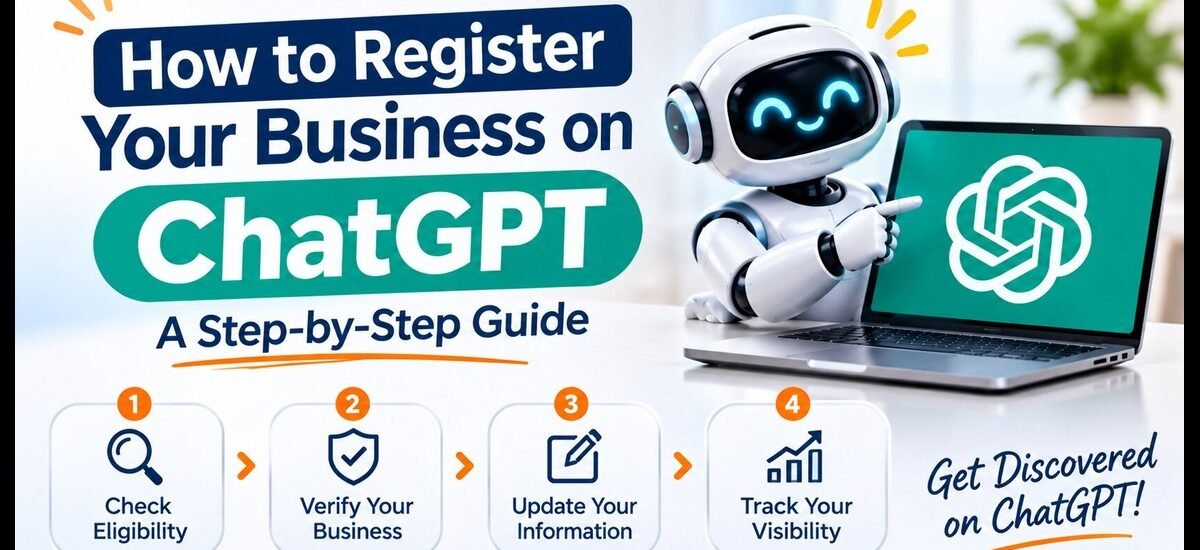
How to register your business on ChatGPT
Follow these steps to check whether your business is eligible and claim its profile.
Step 1: Open ChatGPT Business Hub
Visit the official ChatGPT Business Hub and sign in using your ChatGPT account.
Look up your company by name and see whether a profile already exists.
Step 2: Find and claim your business
Choose the business listing that best describes your company. Confirm that you are authorised to manage the business.
If you cannot find your business, an option to add it may be available for eligible online businesses.
Step 3: Verify your business
Follow the verification options displayed for your business. Depending on availability, these may include:
– Business phone verification.
– Business email verification.
– Website domain verification.
– Shopify verification.
OpenAI may also require identity verification through Persona before you can publish changes or access certain features.
Step 4: Update your business information
Once your claim and required verification are approved, review your business profile carefully.
Add accurate information, including:
– Official business name.
– Website URL.
– Business description.
– Products and services.
– Business category.
– Brand logo and cover image.
– Relevant business policies.
Make sure your details are consistent with your official website and other online business profiles.
Step 5: Monitor your business visibility
Business Hub insights, such as mentions, website clicks, and discovery topics, are accessible to qualified verified firms.
Utilize these data to learn how customers are finding your company using ChatGPT.
Important: Business Hub is currently in beta. Availability depends on your business type, location and supported verification methods. Local stores and restaurants can currently claim only an existing US listing. Businesses in the US that qualify for e-commerce and online services can hire Business Agents individually. Higher rankings, recommendations, or sales are not assured by claiming a profile.
7 Ways to Make Your Business More Visible on ChatGPT
Registering or claiming a business profile is only one part of your AI visibility strategy. Your website and online presence also matter.
Here are seven practical steps to improve your chances of being discovered through AI-powered search.
1. Build an SEO-friendly website
Your website should clearly explain who you are, what you offer, where you operate and how customers can contact you.
Use descriptive page titles, relevant keywords, logical headings and helpful content.
2. Allow OpenAI’s search crawler
Check your website’s robots.txt file to ensure that you are not unintentionally blocking OAI-SearchBot.
This crawler helps OpenAI discover websites for ChatGPT search results.
3. Publish helpful and informative content
Create blogs that answer real customer questions. Include practical information, clear explanations and relevant examples.
For example, a digital marketing agency can publish articles about SEO services, website development, Google Ads and local SEO.
4. Strengthen your business information
Keep your business name, website, contact information and service descriptions accurate and consistent across your website and trusted business platforms.
5. Use structured data
Implement relevant Schema Markup, such as Organization, LocalBusiness, Product and Service schema, where appropriate.
Search engines can better comprehend crucial details about your company with the aid of structured data.
6. Build your online reputation
Earn genuine customer reviews, publish useful case studies and maintain accurate business listings.
Trustworthy and consistent information can strengthen your overall online presence.
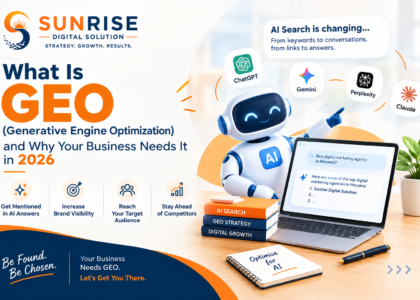
7. Focus on AEO and GEO
Answer Engine Optimisation (AEO) and Generative Engine Optimisation (GEO) help make your content easier for AI-powered systems to understand and use.
Focus on answering specific questions, providing useful information and demonstrating expertise.
ChatGPT SEO vs Traditional SEO: What’s the Difference?
Traditional SEO focuses on improving your website’s visibility in search engines such as Google.
AI SEO, AEO and GEO focus on making your business information understandable and discoverable across AI-powered search experiences.
Both approaches are important. A strong digital marketing strategy should combine technical SEO, high-quality content, website optimisation and brand authority.
Why Should Businesses Start Preparing for AI Search?
Customer behaviour is evolving. People increasingly expect quick, relevant and conversational answers when researching businesses and services.
Businesses that maintain accurate information, publish helpful content and build a trustworthy online presence will be better prepared for these changes.
However, no agency can guarantee that ChatGPT will recommend a particular business. AI recommendations are generated independently and can change depending on the customer’s question and available information.
Final Thoughts
Getting your business discovered on ChatGPT is an exciting opportunity, but it requires more than simply creating a profile.
Start by checking your eligibility for ChatGPT Business Hub, verifying your business where supported and improving your website’s SEO and AIaccessibility.
Frequently Asked Questions
1. Can I register my business on ChatGPT for free?
Eligible businesses can claim their profiles through Business Hub without needing an advertising account or ChatGPT Enterprise agreement. Availability and verification requirements apply.
2. How do I add my business to ChatGPT?
Sign in to ChatGPT, open Business Hub, search for your business and follow the available claim or add-business options.
3. Can Indian businesses register on ChatGPT?
Eligibility depends on business type, location and supported verification methods. Check Business Hub to see whether your business can currently be claimed or added. Local store and restaurant listing claims are currently limited to existing US listings.
4. Does registering a business guarantee ChatGPT recommendations?
No. Claiming your business allows you to manage information, but ChatGPT makes its own independent recommendations.
5. What is OAI-SearchBot?
OAI-SearchBot is OpenAI’s search crawler. It helps discover websites for ChatGPT search features.
6. What is GEO in digital marketing?
Generative Engine Optimisation (GEO) is the practice of improving online content so that AI-powered search and answer systems can understand and potentially reference it.
7. Is traditional SEO still important for AI search?
Yes. Technical SEO, helpful content, website accessibility and a trustworthy online presence remain important foundations for digital visibility.